iVamp energy monitoring
Your energy system, live, on your own network.
One App - Any Brand.
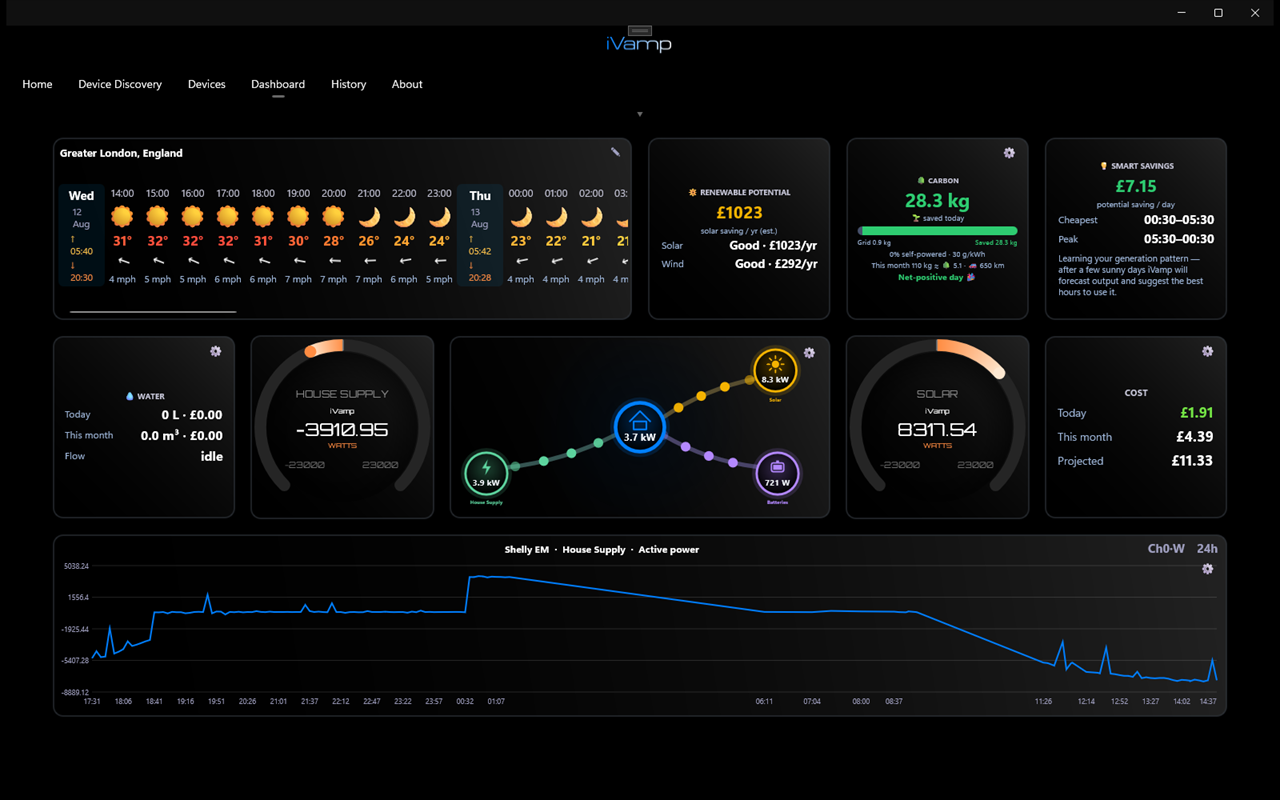
iVamp reads your electricity supply, inverters, batteries and energy meters directly over your home network and puts the whole picture on one screen: what's generating, what's charging, what the house is drawing and what it's costing.
What you get
Everything on one screen.
Live power flow
Grid, solar, battery, EV and house, animated as the power moves - updated every couple of seconds.
Costs from your tariff
Today, this month and projected, worked out from your own import and export rates.
Smart savings
Your cheapest and peak times, and when to run the dishwasher or charge the car.
A dashboard you build
Gauges, tiles, charts, weather and power flow, arranged your way on a phone, laptop or wall screen.
History
Energy and cost trends per circuit over days, weeks and months, so you can see where the money goes.
Alerts
Get told when a reading goes above or below a level you set - a circuit overloading, or the solar going quiet.
Power cuts New
An alert when the grid goes and comes back, how long the battery will last, and non-essential circuits switched off to save it.
Smart notifications New
The cheapest times to use electricity, negative prices, battery full and exporting, and a daily summary.
Voltage check New
Solar dropping out on sunny days? iVamp tracks the voltage and points to the likely cause: a high supply, voltage rise in the cabling or on the network, or the inverter's settings. Plus Home Assistant / MQTT publishing.
Got an EV charger? Any make can be monitored with a Shelly meter on its circuit - see EV charger monitoring.
Local-first
Your data doesn't need to leave the house.
Most energy apps route your readings through the manufacturer's servers. iVamp talks to your equipment directly, on your own network, so:
- It keeps working when the internet, or the manufacturer's cloud, is down
- There's no extra account to create, and nothing to switch off if a company changes its mind
- Your readings stay in your home; sharing with your installer is opt-in
- It only reads from inverters and batteries - it never changes their settings
Online extras such as the weather forecast are optional.
Getting started
Three steps.
Install
Download iVamp from the App Store, Mac App Store or Microsoft Store.
Scan
iVamp searches your home network for supported equipment, or you can add a device by its IP address.
Build
Pick your devices, give each one a role (solar, battery, grid, EV) and lay out your dashboard.
Inverters and batteries: Fox ESS, Sigenergy, Huawei, Growatt, SolarEdge, SMA and Fronius are read over Modbus TCP on your network; GivEnergy, Sunsynk/Deye and Sofar through the dongle they already have; a Tesla Powerwall 2/+ through its Gateway. If local access isn't already on, it's usually a quick setting - ask your installer, or ask us.
No solar? Monitor the whole house anyway.
A Shelly energy meter clamped on the meter tails in your consumer unit lets iVamp show exactly what your home is using and what it costs, live.
It must be fitted by a competent electrician. We fit them around the New Forest.
Energy monitor fittingHad it installed by a pro?
If your installer uses iVamp Trade, they can keep an eye on your system with your permission, and you can send them a snapshot of a problem with one tap.
iVamp for installersGet iVamp
Free to download.
For Windows, Mac and iPhone. Android is coming soon.